 Amplibee
Blog
How to get ChatGPT to recommend your product
How ChatGPT decides which products to recommend, and five steps that make yours more likely to be named: crawler access, a clear page, listings, mentions and answers to buyer questions.

A listing is a page on someone else's site that names your product and links to it. This guide covers which ones to start with and how to fill them in.
Start with five places: one review directory buyers use, such as G2 or Capterra, one alternatives directory, such as AlternativeTo or SaaSHub, one launch site, such as Product Hunt or BetaList, one community, such as a Show HN post, and one place for your audience, such as DevHunt or StackShare for developer tools.
Listings help in two ways. People who compare software find you where they already look, and each listing is a page on another site that names and links to your product.
A handful of complete profiles is a better use of time than thirty empty ones.
Use the same name, one-line description and URL everywhere. Write the description for a buyer, not a search engine: who the product is for, what it does and what it costs. Add a logo, a screenshot or short demo, and link to the exact page you want visitors to land on.
Identical facts across listings make it easier for people and for crawlers to tell that the pages describe one product. Keep a short text file with your name, one-liner, long description, pricing summary and links, and paste from it.
Skip directories that charge for placement without showing traffic, accept every submission without review, or have not published anything recently. Look at whether real products from your category are listed and whether the site is still active before you spend time. A listing on a dead site adds a link, not an audience.
Revisit the list every quarter. Directories close, change their rules and start charging.
For each directory in our list we try the public profile address when it follows a pattern we have confirmed, and we look for the directory in search results for your domain. Some directories block automated requests, so they show as not confirmed.
How ChatGPT decides which products to recommend, and five steps that make yours more likely to be named: crawler access, a clear page, listings, mentions and answers to buyer questions.

The OG image is the picture that appears when someone shares your link. What size it should be, which tags to set, and how to test it.
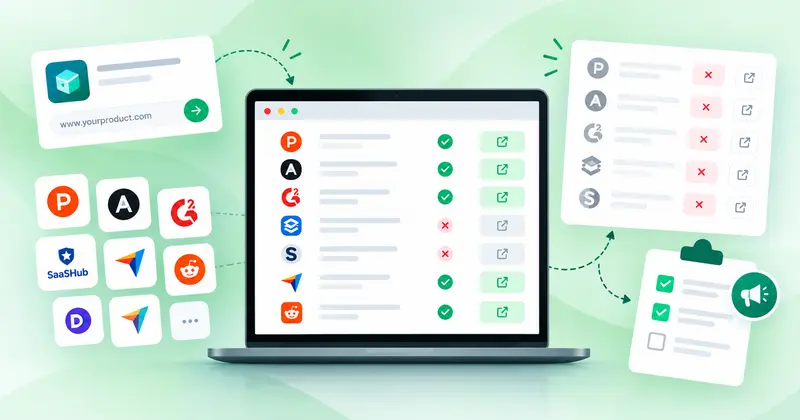
Amplibee checks the directories that matter for your listing and turns the missing ones into a launch plan, with a submission page for each. Submit yourself, or let us do it on a paid plan.

Get posts for X, LinkedIn, Facebook and Product Hunt, and blog posts for your site, each curated for your product and your application, so your product shows up where buyers look.
Compare with your competitors and improve your brand visibility.
Submit your product