 Amplibee
What is MangaTranslate?
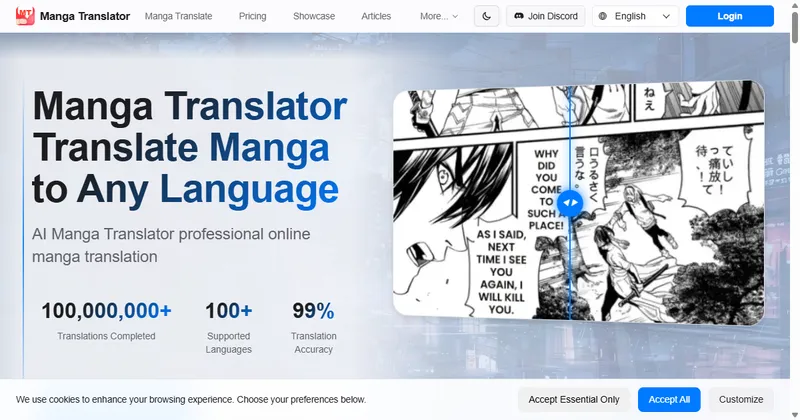
MangaTranslate is a web-based AI tool that translates manga and comic pages into other languages and typesets the translated text into the images.
It is run by Ficory LLC. It handles the steps that are usually done separately: reading the text on the page, translating it, and placing the new text back into the artwork.
The site says more than 100 target languages are available, with separate lists for source and target languages.
Who is MangaTranslate for?
It is aimed at comic creators, localization teams and developers who need translated page images.
Casual readers can use it too, because guests can translate a few pages each day without an account.
How does MangaTranslate work?
You choose a target language, a model, a translator and a font style, upload your files, and the translation starts automatically.
Edits made in the editor have to be exported. They do not automatically replace the output of the original task.
- Choose: pick the target language, model, translator and font style. A prompt field lets you add background or translation preferences.
- Upload: add images, a PDF or an archive. Auto translate is on by default, and you can turn it off to start manually.
- Edit: after a successful translation, open the online editor to correct dialogue, move text boxes and adjust fonts and layout.
- Export: download the result as a ZIP or a PDF.
What can MangaTranslate do?
It translates page images and gives you the controls to fix the result before you publish it.
- Three recognition models: Manga, Ultra and EagleEye
- Translators to choose from: Auto, GPT, DeepSeek, Grok and Gemini
- Auto plus 16 font styles, including Comic, Calligraphic, Modern, Classic, Brush, Clean, Poster and Action Comic
- An online editor for dialogue, text boxes, fonts and layout, with custom fonts available there
- Batch uploads, with email alerts for batches of more than 20 images if your email is verified
- An API for submitting tasks, checking progress and retrieving results, with examples at /api-examples/
Which models and translators can I choose?
There are three models: Manga at 1 credit per page, Ultra at 2 credits per page and EagleEye at 1 credit per page.
The site describes Manga as built for manga text recognition, Ultra as focused on recognition detail and EagleEye as newer recognition technology. You can leave the translator on Auto or pick GPT, DeepSeek, Grok or Gemini.
How much does MangaTranslate cost?
It is free to try. Guests get 5 credits a day, shared by public IP address, and registered users can claim 5 daily credits by checking in.
Paid use comes as subscriptions or pay-per-use credits. The pricing section lists Basic at $8 a month with 1,980 credits, Pro at $30 a month with 7,700 credits and Ultra at $24 a month or $288 a year with 92,400 credits. Paid plans include priority processing and no watermark.
Check the pricing section on the site for current prices before you buy, since plans can change.
Alternatives to MangaTranslate
Translating a comic page usually means extracting the text, translating it, cleaning the image and typesetting the new text. MangaTranslate automates those steps and leaves an editor for the final review.
- Google TranslateA general translation service that can translate text found in images.translate.google.com ↗
- manga-image-translatorAn open-source project on GitHub that translates the text in manga and other images.github.com/zyddnys/manga-image-translator ↗
- Adobe PhotoshopA professional image editor often used for manual cleaning and typesetting of comic pages.adobe.com/products/photoshop.html ↗
How MangaTranslate compares
| Option | Best for | Trade-off |
|---|---|---|
| MangaTranslate | Creators and teams who want translated, typeset pages with an online editor, batch processing and an API | Machine translation still needs a human check, and heavy use needs paid credits |
| Google Translate | Quickly reading a page or a few lines in another language | Not built for comic pages, with no page-level typesetting or export workflow |
| manga-image-translator | Technical users who want to run and adjust the pipeline themselves | You set it up and host it yourself, and there is no hosted editor |
| Adobe Photoshop | Full manual control over cleaning and lettering | Slow for whole chapters, and you do the translation and layout yourself |
MangaTranslate is the fastest route if you want translated pages with an editor, batch processing and an API in one place. If you only need to read a page, a general translator is enough, and if you want full control over every letter, manual editing suits you better.
Questions people ask about MangaTranslate
What is MangaTranslate?
A web tool that translates manga and comic pages from images and PDFs and typesets the translated text into the page.
Who is MangaTranslate for?
Comic creators, localization teams and developers who need translated page images.
Is MangaTranslate free?
There is a free tier. Guests get 5 credits a day shared by public IP address, and registered users can claim 5 daily check-in credits. More use needs credits or a subscription.
What file types can I upload?
JPG, JPEG, PNG, WebP, AVIF, PDF, ZIP, TAR and TAR.GZ, up to 15MB per page.
How many languages does it support?
The site says more than 100 target languages are available. Source and target languages have separate lists.
Can I edit the translation?
Yes. After a successful translation you can open the online editor to correct dialogue, move text boxes and change fonts and layout.
How do I get the finished pages?
Export them as a ZIP or a PDF. Edits made in the editor must be exported, because they do not replace the original task output.
How many credits does a page use?
It depends on the model: Manga and EagleEye use 1 credit per page, and Ultra uses 2.
Does it have an API?
Yes. The API lets you submit tasks, check progress and retrieve results. Examples are at mangatranslate.com/api-examples/.
Can I translate many pages at once?
Yes. Batch uploads are supported, and you can get an email alert for batches of more than 20 images if your email is verified.
What are the alternatives to MangaTranslate?
You can use a general image translator such as Google Translate, run the open-source manga-image-translator project yourself, or translate and typeset by hand in an editor such as Photoshop.
How does MangaTranslate compare with doing it by hand?
It automates text recognition, translation and typesetting, and lets you correct the result in an editor. Doing it by hand gives you full control over every page but takes much more time.