 Amplibee
What is NeverApply?
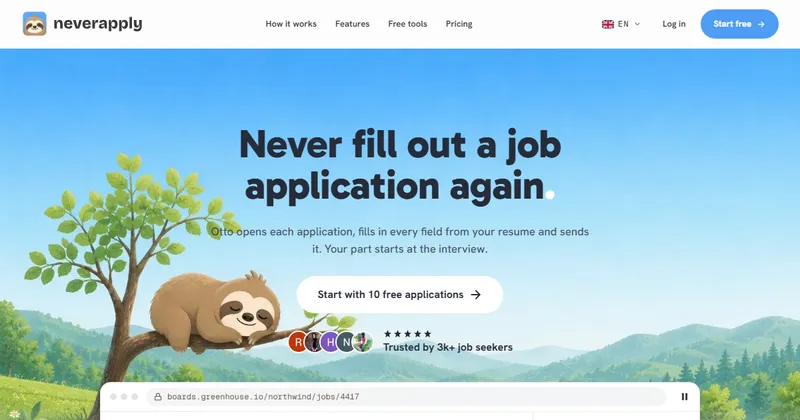
NeverApply is an AI job-search agent that finds jobs that fit your profile, tailors your resume to each one, fills in the application and sends it.
The agent is called Otto. It opens each application, fills in the fields from your resume and logs the result in an application tracker, which also reads the replies.
Its site says nobody can promise you interviews, so treat it as a way to save time on applications rather than a guarantee of results.
Who is NeverApply for?
It is for job seekers who apply to many roles and want the repeat form filling done for them, including people who want to keep a job search private from their current employer.
Your current employer is blocked by default and you can block other companies by name. Otto checks the blocked list before every application.
How does NeverApply work?
You add your profile and resume, Otto surfaces matching jobs, and applications go out either after your approval or within your daily cap.
Otto applies from its own email address and forwards only interview requests, assessment results and items that need your input. If a required fact is missing, it stops and returns the credit instead of guessing.
- Daily matches: Otto checks new jobs and shows the best fits.
- Resume Studio: tunes your resume for each job and shows a match score.
- Auto-apply: Otto opens the form, fills in every field from your resume and sends it.
- Tracker: every application is logged, and replies are read for you.
- Interview prep: likely questions, with answers drawn from your resume.
What are Ask mode and Send mode?
In Ask mode Otto opens no form until you approve the job. In Send mode Otto picks from your matches, skips blocked companies and stops at your daily cap.
Ask mode is listed on the Pro plan. Check its pricing page for what each plan includes.
Can I use NeverApply from Claude, ChatGPT or Cursor?
Yes. It has a hosted MCP server at neverapply.co/mcp that you add to your assistant as a custom connector.
The site lists Claude, ChatGPT, Cursor, Codex and Grok among the supported clients, and says any client that accepts custom connectors should work. Availability depends on your assistant and workspace plan.
- Sign in with OAuth and approve the access. No API key is needed, and you can revoke access in Settings.
- Read tools such as search_jobs, get_matches, get_job, get_profile and list_applications are free.
- Edit tools such as update_profile, tailor_resume and prepare_interview change your profile. Tailoring and interview prep need paid access.
- Apply tools such as apply_to_job and approve_application need apply permission, credits and your approval for each job.
How much does NeverApply cost?
There is a free plan with 10 applications. Pro is $29 a month and Max is $49 a month, or $19 and $39 a month when billed yearly.
You can cancel any time in billing settings and keep access until the end of the paid period. Payments are handled by Stripe, and the site refers to its terms for refunds. Check its pricing page for current prices.
- Free: 10 applications in total, 5 match previews a day, 3 Otto chat messages a day and 50 MCP reads a day, with no card required
- Pro: up to 5 applications a day, 150 auto-apply credits a month, unlimited matches, resume rewrites, cover letters and interview prep
- Max: up to 15 applications a day, 450 credits a month, a tailored resume for every application, a stronger AI model and priority support
- Each application costs 1 credit. Monthly credits do not roll over, and a credit is returned if an application fails before submission
Alternatives to NeverApply
You can apply to jobs by hand, use a tracker and resume builder, or hand the form filling to an automation tool. NeverApply is in the last group, with an assistant connection on top.
- LazyApplyA tool that automates filling in and sending job applications.lazyapply.com ↗
- TealA job tracker and resume builder for managing a search.tealhq.com ↗
- Apply by handTailor your resume and complete each form yourself.
How NeverApply compares
| Option | Best for | Trade-off |
|---|---|---|
| NeverApply | Handing off repeat applications while keeping approval over each job, including from an AI assistant | Automated applications can miss the nuance of a hand-written one, and it uses credits on paid plans |
| LazyApply | High-volume applying on supported job boards | Check its current plans and which job sites it supports |
| Teal | Organising your search and tailoring resumes yourself | You still fill in and send the applications yourself |
| Apply by hand | A small number of roles you really want | Slow when you apply to many roles |
NeverApply suits you if you apply widely and want the form filling handled while you keep approval of each job. If you only target a few roles, applying by hand, or a tracker such as Teal, may be a better fit.
Questions people ask about NeverApply
What is NeverApply?
An AI job-search agent that finds matching jobs, tailors your resume and fills in applications for you.
Who is Otto?
Otto is NeverApply’s agent. It opens applications, fills them in from your resume and tracks the replies.
Is NeverApply free?
There is a free plan with 10 applications in total and no card required. Pro and Max are paid.
How much do Pro and Max cost?
Pro is $29 a month, or $19 a month billed yearly. Max is $49 a month, or $39 a month billed yearly.
Can I approve each application first?
Yes. In Ask mode Otto opens no form until you approve the job. Send mode applies within a daily cap you set.
Will it apply to my current employer?
No. Your current employer is blocked by default, and you can block other companies by name.
Does it guarantee interviews?
No. The site says nobody can promise interviews.
Does it have an MCP server?
Yes, at neverapply.co/mcp. You sign in with OAuth, with no API key, and you can revoke access in Settings.
Which AI assistants work with it?
Claude, ChatGPT, Cursor, Codex and Grok are listed, and any client that accepts custom connectors should work.
Can I cancel?
Yes, at any time from billing settings. You keep access until the end of the period you have paid for.
What are the alternatives to NeverApply?
LazyApply for bulk auto-applying, Teal for tracking jobs and building resumes, or applying by hand with your own resume.