 Amplibee
What is NOS Workspace?
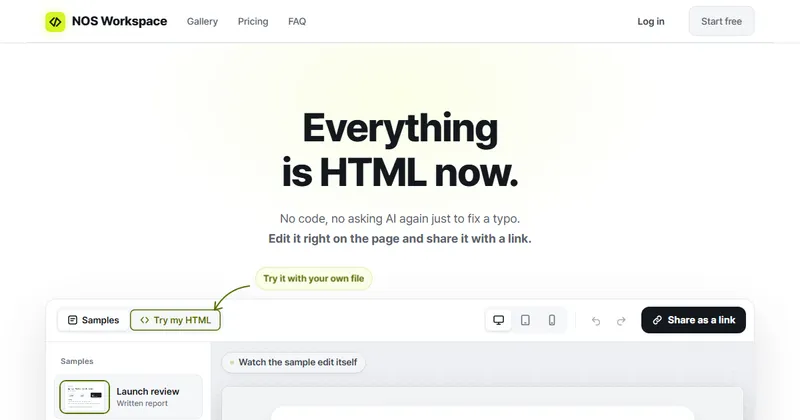
NOS Workspace is a workspace where documents and HTML reports live side by side, and where you can fix the wording on an HTML page and share it as a link.
It is aimed at the moment after an HTML page exists, when you need to change a small thing or send it on, not at building the page in the first place.
How do I edit an HTML page in it?
Paste the HTML or drop an .html file, then click the visible text in the preview and change it.
- You do not need to touch the code or ask an AI tool to regenerate the page for a typo
- Edited text is reflected in the underlying HTML
- You can try this before signing up
How does sharing work?
You sign in, save the page and create a public reading link. Readers open it without an account.
The link does not change when you edit the page, so a link you already sent keeps working. After you save a correction, reopening the link shows the updated page.
Does HTML with scripts work?
Yes. The site says charts, animations and calculators keep running, and that pages run on a separate, isolated domain so they never touch your session.
What does it cost?
The free plan has unlimited documents and three share links open at a time; paid plans add unlimited links and team features.
- Free: three share links at once, notes, HTML pages, sub-pages and version history; published pages carry a NOS badge
- Personal: unlimited share links and no NOS badge
- Team: invite members to one workspace, edit together live and set roles
- Enterprise: dedicated support and a security review, by contacting the team
Alternatives to NOS Workspace
You can share an HTML page by deploying it to a host, by emailing the file or by keeping it in a document tool. NOS Workspace sits between them: a place to keep the page, fix its text and send a link.
- Netlify DropA drag-and-drop way to put a folder of static files online.app.netlify.com/drop ↗
- GitHub PagesFree static hosting from a GitHub repository.pages.github.com ↗
- NotionA workspace for documents and notes with page sharing.notion.com ↗
How NOS Workspace compares
| Option | Best for | Trade-off |
|---|---|---|
| NOS Workspace | Small wording corrections to an existing HTML report, then a shareable link, without deploying a site | It is for editing and sharing pages that already exist, not for building a site from scratch |
| Netlify Drop | Publishing a finished static site quickly | To fix a typo you edit the source file and upload again |
| GitHub Pages | Developers who already keep pages in a repository | Needs a repository and a commit for every correction |
| Notion | Writing and organizing documents with a team | It is built around its own blocks rather than keeping your HTML page as written |
NOS Workspace is a fit if you already have an HTML report and mainly need to correct wording and send a link. For a full website use a static host; for writing documents from scratch a document tool may be enough.
Questions people ask about NOS Workspace
What is NOS Workspace?
A web workspace that keeps documents and HTML reports together, lets you edit the visible text of an HTML page and share it by a public link.
Do readers need an account?
No. Anyone with the reading link can open the page without signing up.
Can I try it without signing up?
Yes. Pasting HTML, editing and previewing need no account. You sign in to save your work and create a link.
Does the link change when I edit the page?
No. The address stays the same, and after a saved correction the same link shows the updated page.
Is there a free plan?
Yes. It includes three share links at once, with paid plans for more.
Does HTML with scripts work?
Yes, according to the site. Pages with charts, animations and calculators keep running on an isolated domain.
What are the alternatives to NOS Workspace?
Static hosts such as Netlify Drop and GitHub Pages, and document tools such as Notion, are alternatives. They differ in whether you edit text in a preview and whether sharing needs a deployment.