 Amplibee
What is ReactionMetric?
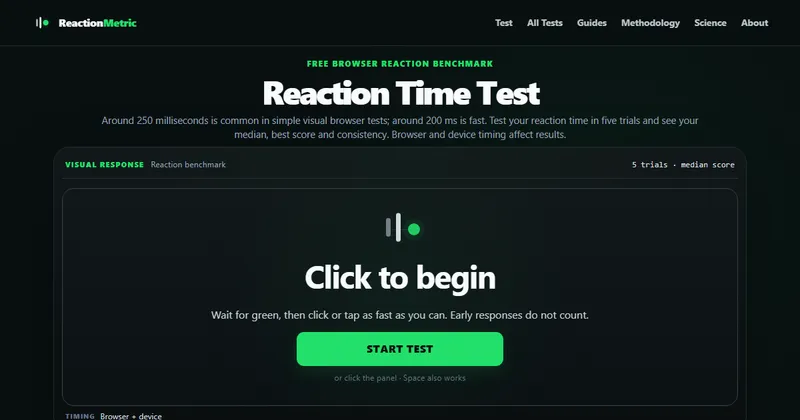
ReactionMetric is a free browser test that measures how quickly you respond to a visual signal.
Wait for green, then click, tap or press Space. Early responses do not count, and the site says the core test works without signup.
How does a session work?
A session has five valid trials, and your main score is the median.
- Median: the middle result, which limits the effect of one unusually fast or slow click
- Best and worst: your fastest and slowest valid trials
- Average: the mean of your five trials
- Consistency: how closely your trials agree
Why do browser and device matter?
The timing is browser-observed, so it includes display and input-device delay as well as your own reaction.
The site says to compare repeat runs on the same setup. Responses under 100 ms are excluded as too early to count, and the test is not clinical or diagnostic.
Can I compare my result with other people?
Yes, once enough results exist for a similar setup.
Adding your session to the comparison data is optional and anonymous. The site shows percentiles only after a comparison group has at least 100 sessions.
Alternatives to ReactionMetric
Most reaction time tests give you a single number. ReactionMetric runs a fixed five-trial session and explains what could be distorting the result.
- Human BenchmarkA site with a popular reaction time test and other brain and skill tests.humanbenchmark.com ↗
- Aim LabA training app for gamers with reaction and aim exercises.aimlab.gg ↗
How ReactionMetric compares
| Option | Best for | Trade-off |
|---|---|---|
| ReactionMetric | A repeatable reaction baseline on your own setup, with clear notes on timing limits | A single visual test, so it is not a training programme, and results depend on your browser and device |
| Human Benchmark | Quick tests across several skills in one place | A broader site with ads and less explanation of timing limits |
| Aim Lab | Gamers who want structured practice, not a single benchmark | An app to install, with an account, instead of a test you can open in a tab |
ReactionMetric may suit you if you want a quick, no-signup baseline and an honest view of what affects it. If you want to train, a dedicated app such as Aim Lab fits better, and if you want many different tests, Human Benchmark covers more.
Questions people ask about ReactionMetric
What is ReactionMetric?
A free browser-based reaction time benchmark with five-trial sessions.
Is it free?
Yes. The site says there is no sign-up, and you can start a test right away.
How many trials are there?
Five valid trials per session.
Why does it use the median?
The median limits the effect of one unusually fast or slow click.
What is a good reaction time?
The site says around 250 milliseconds is common in simple visual browser tests and around 200 ms is fast.
Is my result exact?
No. It is browser-observed and includes display and input-device delay, so compare runs on the same setup.
Is it a medical test?
No. The site says it is not a clinical or diagnostic test.
What are the alternatives to ReactionMetric?
Human Benchmark offers a well-known reaction time test, and Aim Lab offers reaction training for gamers.