 Amplibee
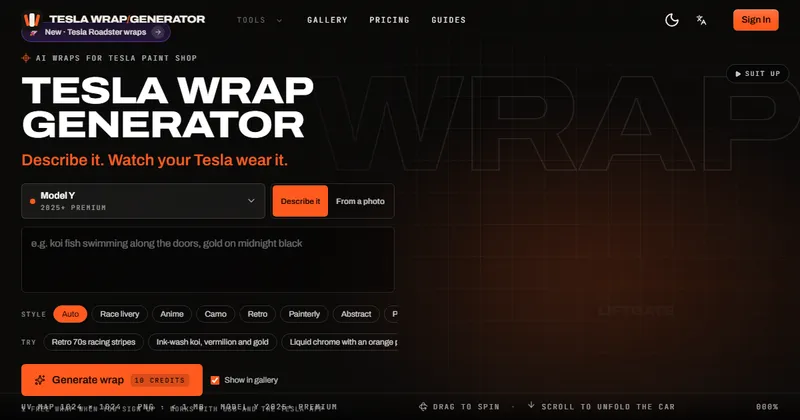
What is Tesla Wrap Generator?
Tesla Wrap Generator is an independent web tool that turns a text prompt or a photo into a custom wrap for the Paint Shop on a Tesla touchscreen.
A Paint Shop wrap changes how the 3D car looks on your screen and in the Tesla app. It is not a physical wrap, and a vinyl wrap on the real car still needs a wrap shop.
The site says it is not made by Tesla and refers to Tesla trademarks only to describe compatibility.
Who is Tesla Wrap Generator for?
It is for Tesla owners who want to restyle the in-car 3D model, and for wrap designers and content creators who make Paint Shop graphics.
The site suggests uploading only artwork you have rights to, and keeping trademarked logos out of the public gallery.
How does Tesla Wrap Generator work?
You choose your model and year, describe a look or upload an image, preview it in 3D and download the PNG.
Misaligned stripes or lettering usually mean the wrong template variant was selected.
- Select your exact model and year, which loads the matching flat 1024 by 1024 UV template.
- Describe a look, or upload a photo, and pick a style such as Race livery, Anime, Camo, Retro, Painterly, Abstract, Pattern or Carbon and chrome.
- The AI paints the design panel by panel onto the template.
- Preview it on a 3D car, then download a PNG that is trimmed to the template and named for Paint Shop.
How do I get the wrap onto my Tesla?
Upload the PNG in the Tesla app, or copy it to a USB drive.
- In the Tesla app (version 4.59 or later), go to Creations, then Wrap, then Upload.
- Or put the PNG in a folder named “Wraps” on a USB drive formatted as exFAT or FAT32.
- The file must be a PNG under 1 MB with a name of up to 30 characters. The car shows up to 10 wraps from USB and 10 from the app.
What can Tesla Wrap Generator do?
It generates wraps, checks them in 3D and fixes files so Paint Shop accepts them.
- Text-to-wrap and photo-to-wrap generation
- Official templates for 12 Paint Shop variants across 6 model families
- An interactive 3D preview for Model 3, Model Y and Cybertruck
- A PNG fixer that resizes and compresses files to Paint Shop limits
- A public wrap gallery, with an option to keep a wrap out of it
How much does Tesla Wrap Generator cost?
Templates, the 3D preview and the PNG fixer are free. AI wraps use credits, with packs from $4.99 and no subscription.
A new account gets 10 credits, enough for one wrap, and credits do not expire. If a generation fails its credits are returned. Other purchases are final unless the law requires otherwise. Check its pricing page for current prices.
- Each AI wrap, from text or a photo, costs 10 credits
- Try: $4.99 for 100 credits, 10 wraps
- Popular: $9.99 for 240 credits, 24 wraps, with private wraps
- Studio: $19.99 for 600 credits, 60 wraps, with priority when the generator is busy
Alternatives to Tesla Wrap Generator
Paint Shop wraps are PNG files built on Tesla’s templates. You can make them by hand, or have the AI do the first draft.
- Tesla’s official templatesTesla’s own repository of wrap templates and guidelines for each model.github.com/teslamotors/custom-wraps ↗
- CanvaA general design tool that can be used to build a graphic on a template.canva.com ↗
- Adobe PhotoshopA professional image editor often used to paint custom wraps on the UV template.adobe.com/products/photoshop.html ↗
How Tesla Wrap Generator compares
| Option | Best for | Trade-off |
|---|---|---|
| Tesla Wrap Generator | Getting a template-correct Paint Shop wrap from a prompt or photo, with a 3D preview | AI output may need a few tries, and each generation uses credits |
| Tesla’s official templates | Designers who want to draw the wrap themselves | You create all the artwork and check the file requirements yourself |
| Canva | Hand-made designs with your own layout and text | Not built for Paint Shop, so you manage the template, size and file limits yourself |
| Adobe Photoshop | Full manual control over every panel | Takes skill and time, and there is no built-in 3D preview of the Tesla |
Tesla Wrap Generator is the quickest way to a first draft that already fits the right template, with a 3D preview before you upload. If you want to draw every panel yourself, start from Tesla’s templates in an image editor.
Questions people ask about Tesla Wrap Generator
What is Tesla Wrap Generator?
An independent web tool that makes Tesla Paint Shop wraps from a text prompt or a photo, with a 3D preview and PNG export.
Is Tesla Wrap Generator made by Tesla?
No. It is independent and is not affiliated with or endorsed by Tesla, Inc.
Does it change my car’s real paint?
No. It makes wraps for the in-car Paint Shop display. A physical wrap needs a wrap shop.
Which Tesla models does it support?
Model 3 (including Highland), Model Y (including 2025+ and Model Y L), Model S, Model X and Cybertruck.
Is it free?
Templates, the 3D preview and the PNG fixer are free without an account. A new account includes credits for one AI wrap, and more wraps use credit packs from $4.99.
How much does an AI wrap cost?
10 credits per wrap. Packs are $4.99 for 100 credits, $9.99 for 240 and $19.99 for 600, with no subscription.
Do credits expire?
No. Credits do not expire.
What file does it export?
A PNG under 1 MB, 512 to 1024 pixels square, or 1024 by 768 for Cybertruck, with a Paint Shop safe file name.
How do I install the wrap?
Upload it in the Tesla app under Creations, then Wrap (version 4.59 or later), or save it in a “Wraps” folder on an exFAT or FAT32 USB drive.
Why does my wrap look misaligned?
Usually the wrong template variant was selected. Pick the exact model and year.
What are the alternatives to Tesla Wrap Generator?
You can start from Tesla’s official wrap templates and draw in an image editor such as Canva or Photoshop, or hire a designer.