 Amplibee
What is tta1?
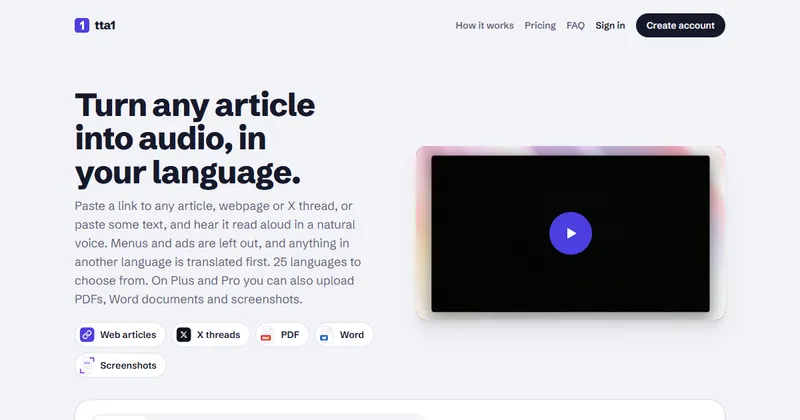
tta1 is a web app that turns articles, X threads and documents into audio, so you can listen instead of read.
You paste a link or some text, choose a voice and a language, and press Listen. Menus, ads and other non-article parts of a page are left out, and audio starts within seconds.
Anything written in another language is translated before it is read, so you hear it in the language you chose.
Who is tta1 for?
It suits anyone with more to read than time or screen energy to read it, and people who prefer listening.
Its site gives the use cases as listening to news, blogs, newsletters and documentation, and hearing content that is written in a language you would rather not read.
How does tta1 work?
You add content, pick a voice and language, and listen.
It remembers your voice, language and speed. You can try a 500-character sample without an account.
- Add content: paste a link or text, or upload a file on a paid plan.
- Pick a voice and a language. If the article is in a different language, it is translated first.
- Listen: change the speed from 0.5x to 2.5x without changing the pitch.
What can tta1 read?
Web articles, newsletters, X threads and pasted text on every plan, plus PDFs, Word files and screenshots on Plus and Pro.
Pages behind a login or a paywall cannot be fetched. Its site suggests pasting the text or uploading screenshots instead.
- Web articles and newsletters: most public news sites, blogs and documentation pages work.
- X threads: paste a link to a public post and the author’s whole thread is read in order, without replies. X Articles are read in full.
- PDFs up to 20 MB, with page numbers, headers and footers removed. Scanned PDFs are supported (Plus and Pro).
- Word, plain text and Markdown files (Plus and Pro).
- Up to 20 screenshots or photos, read in an order you set (Plus and Pro).
Which languages and voices does tta1 offer?
It reads in 25 languages and has 30 voices, each with a preview.
The languages are English, Spanish, French, German, Italian, Portuguese, Dutch, Polish, Romanian, Russian, Ukrainian, Turkish, Arabic, Hindi, Bengali, Marathi, Tamil, Telugu, Thai, Vietnamese, Indonesian, Malay, Japanese, Korean and Chinese. Some voices are free only with a sign-up.
How much does tta1 cost?
tta1 has a free plan, Plus at $6 a month and Pro at $12 a month. Plans differ by how many words you can have read each month.
Yearly billing is offered with 2 months free, though yearly prices are not shown on the page. A top-up of 25,000 words costs $5 and does not expire. You are charged only for text read aloud, and replays are free.
- Free: $0, no card needed. 1,000 words a month, about 7 minutes of listening, for web articles and pasted text.
- Plus: $6 a month. 25,000 words a month, about 3 hours, with file and screenshot uploads and MP3 downloads.
- Pro: $12 a month. 50,000 words a month, about 6 hours, with the same features as Plus.
Alternatives to tta1
Many tools read text aloud. tta1 focuses on article links, X threads and documents, with translation into the language you choose.
- SpeechifyA text-to-speech reader that reads web pages, documents and books aloud.speechify.com ↗
- NaturalReaderA text-to-speech tool that reads documents, web pages and text aloud.naturalreaders.com ↗
- Browser read-aloudThe read-aloud feature built into browsers such as Microsoft Edge.
How tta1 compares
| Option | Best for | Trade-off |
|---|---|---|
| tta1 | Listening to articles, X threads and documents in your own language from the browser | A new service with a small free allowance of 1,000 words a month, and its site mentions no apps or browser extension |
| Speechify | A full reading app for documents and books | A broader product than tta1, so check its current pricing and plans |
| NaturalReader | Reading documents and text with a choice of voices | Not built around X threads or translating an article before reading it |
| Browser read-aloud | Free reading of the page you have open | No uploads and no audio files to keep, and translation before reading is not part of it |
tta1 is a good fit if you want to paste a link, an X thread or a PDF and hear it in your own language. If you want a full reading app, or only occasional free read-aloud, Speechify, NaturalReader or your browser may suit you better.
Questions people ask about tta1
What is tta1?
A web app that reads articles, X threads and documents aloud in a natural voice, in 25 languages.
Who is tta1 for?
People who would rather listen than read, such as commuters, and anyone who wants content read in their own language.
Is tta1 free?
There is a free plan with 1,000 words a month, about 7 minutes of listening, and no card is needed. Paid plans start at $6 a month.
Can tta1 read an X thread?
Yes. Paste a link to a public post on x.com or twitter.com and it reads the author’s whole thread in order, without replies.
Can tta1 read a PDF?
Yes, on Plus and Pro. PDFs can be up to 20 MB, page numbers, headers and footers are removed, and scanned PDFs are supported.
Which languages does tta1 support?
25 languages, including English, Spanish, Hindi, Arabic, Japanese and Chinese. Content in another language is translated before it is read.
How many voices are there?
30 voices, each with a preview. Some are free only once you sign up.
Can I change the speed?
Yes, from 0.5x to 2.5x without changing the pitch.
Can I download the audio?
MP3 downloads are included on Plus and Pro.
Does it work on paywalled pages?
No. Pages behind a login or a paywall cannot be fetched. Paste the text or upload screenshots instead.
What are the alternatives to tta1?
Text-to-speech readers such as Speechify and NaturalReader, or the read-aloud feature built into your browser. They differ in voices, apps and price.
How does tta1 compare with a browser read-aloud feature?
tta1 adds translation before reading, X thread support and uploads on paid plans. A built-in browser feature costs nothing and needs no sign-up, but may not translate or handle every source.