 Amplibee
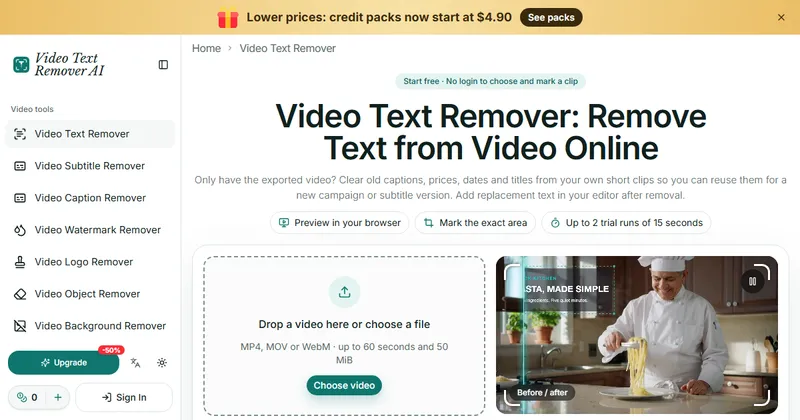
What is Video Text Remover AI?
Video Text Remover AI is a web tool that removes burned-in text from short videos so you can reuse your own footage.
It is meant for exported clips that have no editable text layer: old captions, prices, dates and titles. It does not add replacement text, so you do that afterwards in your own editor.
The same site also lists separate tools for subtitles, captions, watermarks, logos, objects and backgrounds.
Who is Video Text Remover AI for?
It is for creators, marketing teams, trainers and editors who have usable footage but not the original project file.
It is meant for videos you own or have the right to edit, such as your own product ads, Reels, TikTok clips and tutorials.
How does Video Text Remover AI work?
You choose a video, mark the text, check the credit estimate and submit it for processing.
Choosing, playing and marking a clip stays on your device. The file is uploaded only when you submit it for processing.
- Choose a video. Previewing it and marking boxes is free and needs no login.
- Drag a box over the words. You can add up to three boxes and set each box’s time range on a timeline.
- Review the credit estimate and submit the clip. Then check and download the result.
How good are the results?
The site says results can have remnants, flicker or changed textures, so you should check the output before you use it.
Faces, thin lines, moving text and fast motion need closer checks. It does not guarantee a perfect result, or that every audio track or codec is kept, so listen to the output too.
The site says no site watermark is added to the export, and failed runs return their credits.
What happens to my files?
Task files are kept for 7 days from creation and can be deleted sooner from the My tasks page.
The site warns that anyone with a file link can open the file, and that its processing providers have their own retention rules.
How much does Video Text Remover AI cost?
Marking a clip is free, and each account gets two trial runs for clips up to 15 seconds. After that you buy credits, from $4.90.
Credit-pack credits never expire. It also lists monthly and annual subscriptions that renew until cancelled. Check its pricing page for current prices and its terms for refunds.
- Starter: 100 credits for $4.90
- Creator: 300 credits for $12.90
- Studio: 750 credits for $29.90
- Billing is 1 credit per second of the full clip, with a 3 second minimum, so an 8 second clip uses 8 credits
Alternatives to Video Text Remover AI
If the original project is gone, you can retouch the footage by hand, use an editor’s fill tools, or let an AI tool rebuild the area behind the text.
- CapCutA video editor with many editing and AI tools.capcut.com ↗
- Adobe After EffectsA professional motion graphics and compositing tool with content-aware fill for video.adobe.com/products/aftereffects.html ↗
- Re-export from the original projectTurn off or delete the text layer in the editor project and export again.
How Video Text Remover AI compares
| Option | Best for | Trade-off |
|---|---|---|
| Video Text Remover AI | Quickly clearing burned-in text from a short clip you own, with no install | Clips are limited to 60 seconds, results can show remnants or flicker, and each run uses credits |
| CapCut | Editing the whole video in one app | Text removal is one of many features, so check what its current tools can do for your clip |
| Adobe After Effects | Frame-level control over a difficult clip | A paid, professional tool that takes skill and time |
| Re-export from the original project | Clean, exact results when you still have the source | Only possible when you kept the project file |
Video Text Remover AI suits you if you only have the exported video and want the text gone fast. If you still have the project file, re-exporting is cleaner, and for a hard clip an editor such as After Effects gives more control.
Questions people ask about Video Text Remover AI
What is Video Text Remover AI?
A web tool that removes burned-in text, captions and prices from short videos you own, by rebuilding the picture behind the text.
Is it free?
Choosing and marking a clip is free with no login. Each account gets two trial runs of up to 15 seconds, and more use needs credits from $4.90.
Which video formats work?
MP4, MOV and WebM, up to 60 seconds and 50 MiB.
How many text areas can I remove?
Up to three boxes, each with its own start and end time on a timeline.
How are credits counted?
1 credit per second of the full clip, with a 3 second minimum. An 8 second clip uses 8 credits.
Does it blur the text?
No. It rebuilds the background behind the text. Results can still have remnants or flicker, so check the output.
Does it add a watermark?
The site says it adds no site watermark to the export.
Does it keep my audio?
It does not guarantee every audio track or codec is preserved, so listen to the result before you reuse it.
Is my video uploaded when I mark it?
No. Choosing and marking stay on your device. The clip is uploaded when you submit it for processing.
How long are files kept?
Task files are kept for 7 days and can be deleted sooner in My tasks.
What are the alternatives to Video Text Remover AI?
You can use a video editor such as CapCut, use content-aware fill in Adobe After Effects, or re-export from the original project without the text.