 Amplibee

What is Phoaly?
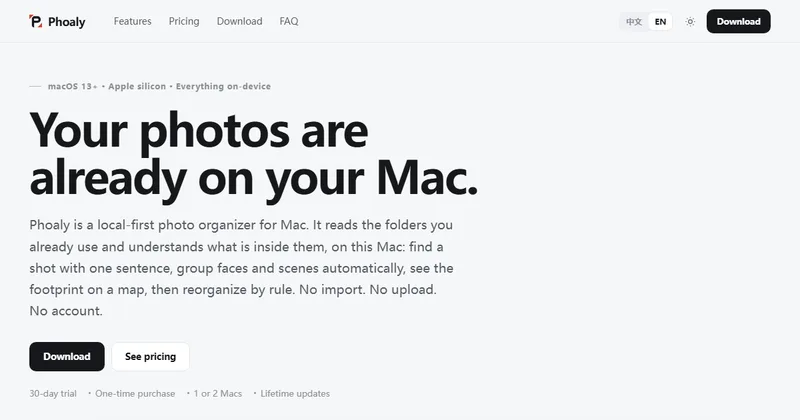
Phoaly is a photo organizer for Mac that works on the folders you already have and does its indexing and search on your Mac, without importing, uploading or an account.
The site describes it as local-first, with the tagline No import. No upload. No account.
How does the search work?
You describe a photo in a sentence, in English or Chinese, and Phoaly finds matches. According to the site, filename search runs first and then falls back to picture search, and it all runs on your Mac.
The site cites a 100,000-photo benchmark with a 11.7 ms search P95. Treat that as the vendor's own figure.
Are my photos uploaded?
No, according to the site. Photos, thumbnails, location data, face data and search vectors stay on the Mac.
Network use is limited to map tiles, license checks and update checks. Activation needs one online request with the license key, a random device ID and the app version.
What can the workbench do?
The workbench organizes photos by rules, renames, finds duplicates and does freeform moves. It shows a full preview before changing anything, keeps a journal and supports undo.
The site says copies are verified with sha256, and a separate cull mode marks photos keep, maybe or reject with deletes going to the system Trash.
What do I need to run it?
A Mac with Apple silicon running macOS 13 or later. The site says Intel Macs and older macOS versions are not supported.
How much does it cost?
There is a 30-day free trial with every feature and no card required. After that the site lists a one-time $29 purchase for two Macs, with lifetime free updates.
The submission lists $19 for one Mac. The site shows a one-Mac option without stating its price, so confirm the current price before you buy. After the trial a 7-day grace period follows, then the app becomes read-only.
Alternatives to Phoaly
Mac users can keep photos in Apple Photos, use a cloud service or use a third-party organizer. Phoaly works on your existing folders and keeps the indexing and search on your Mac.
- Excire FotoPhoto manager for Mac and Windows with on-device AI search and a one-time license.excire.com ↗
- Mylio PhotosPhoto organizing app for Mac, Windows, Android and iOS with offline face recognition.mylio.com ↗
- Apple PhotosThe photo app built into macOS, with search, people albums and optional iCloud sync.support.apple.com/photos ↗
- PhotoPrismSelf-hosted photo management app with AI-assisted search and face recognition.photoprism.app ↗
How Phoaly compares
| Option | Best for | Trade-off |
|---|---|---|
| Phoaly | Mac users with large folder-based photo libraries who want on-device search, face grouping and rule-based sorting without uploads or an account | Apple silicon and macOS 13 or later only, paid after a 30-day trial, and the site lists version 0.1.2 |
| Excire Foto | Photographers who want local AI keyword and similarity search | Check its site for current pricing, as reviews list a higher one-time price |
| Mylio Photos | Syncing one library across several devices | Premium features are paid on a monthly plan, according to reviews |
| Apple Photos | A free, zero-setup library for Apple users | Works from its own library and can sync through iCloud |
| PhotoPrism | People who want to run their own photo server | Needs a server to set up and maintain, so it is heavier than a Mac app |
Phoaly is worth trying if your photos live in folders on a recent Mac and privacy matters. The 30-day trial includes every feature, so you can test search and sorting on your own library before paying.
Questions people ask about Phoaly
What is Phoaly?
A local-first photo organizer for Mac that searches, groups and sorts photos on your Mac.
Does it need an account?
No. The site says there is no account, import or upload.
Which languages can I search in?
English and Chinese, according to the site.
Which Macs does it support?
Macs with Apple silicon running macOS 13 or later.
Can it group faces?
Yes. It detects faces and groups them into people that you can merge, split and rename.
Does it edit my photos?
It is an organizer, not an editor. The site lists RAW development and color editing as out of scope, and rotate and crop write-back works for JPEG, PNG and TIFF only.
How much does it cost?
A 30-day free trial, then $29 one time for two Macs according to the site. The submission lists $19 for one Mac.
What happens after the trial?
A 7-day grace period follows, then the app becomes read-only. Browsing still works, but the workbench, scanning, visual search, people management and culling pause.