 Amplibee

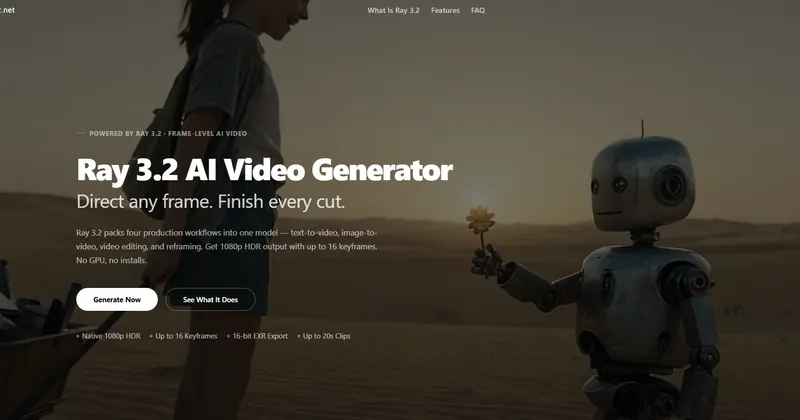
What is Ray 3.2 AI?
Ray 3.2 AI is a website that lets you make videos with the Ray 3.2 model in your browser, with no download and no GPU.
The site describes Ray 3.2 as a video generation model from Luma AI. Amplibee has not verified any affiliation between ray32.net and Luma AI, so check the site if that matters to you.
What can I make with it?
Four workflows are offered: text to video, image to video, video edit and reframe.
- Text to video: generate a 5 or 10 second clip from a prompt
- Image to video: animate a still image with keyframes
- Video edit: restyle uploaded footage while keeping its motion and timing
- Reframe: change a clip’s aspect ratio without cropping
What is the frame-level control?
You can place up to 16 keyframes inside one clip to decide where the look, motion or lighting changes.
The site also lists HDR color generation and 16-bit EXR export in the ACES2065-1 color space, meant for compositing and grading tools such as Nuke and DaVinci Resolve.
How is it priced?
Credits are sold as one-time packs: Starter at 9.9 USD for 160 credits, Pro at 29.9 USD for 580 credits and Scale at 49.9 USD for 1,100 credits.
The site says credits never expire, are deducted only on a successful generation, and that downloads have no watermark and include commercial usage rights. Read the site’s terms for the exact rights.
Alternatives to Ray 3.2 AI
AI video tools differ in how much control they give you over a shot. Ray 3.2 AI centres on keyframes, editing existing footage and professional export formats.
- RunwayAn AI video and creative tool suite.runwayml.com ↗
- Luma Dream MachineLuma AI’s own video generation product.lumalabs.ai ↗
- PikaAn AI video generator aimed at short clips and effects.pika.art ↗
How Ray 3.2 AI compares
| Option | Best for | Trade-off |
|---|---|---|
| Ray 3.2 AI | Creators who want keyframe control and EXR export from a browser tool, paid by credit pack | It is a paid service, and its relationship to the underlying model’s maker is not confirmed here |
| Runway | A broad set of video generation and editing tools | Pricing and features differ, so compare them with your workflow |
| Luma Dream Machine | Using Luma’s models from the company that makes them | Plans and model availability are set by Luma |
| Pika | Quick social-style clips | It has a different feature set from keyframe and EXR workflows |
Ray 3.2 AI is a fit when you want to direct a clip with keyframes, restyle existing footage and take HDR or EXR files into a grading pipeline. If you want the model maker’s own product or a wider creative suite, look at the alternatives.
Questions people ask about Ray 3.2 AI
What is Ray 3.2 AI?
A browser-based AI video generator with text to video, image to video, video edit and reframe workflows.
Is it free?
It is a paid service sold as credit packs. The site also offers a way to start for free, so check the current offer on the site.
Is there a subscription?
No. Credit packs are one-time purchases and the credits do not expire.
What resolution and length can I get?
Up to 1080p. Text to video and image to video make 5 or 10 second clips, and video edit supports up to 20 seconds.
Can I export for color grading?
Yes. The site lists 16-bit EXR export for tools such as DaVinci Resolve and Nuke.
Are downloads watermarked?
The pricing section says MP4 downloads have no watermark.
Is it made by Luma AI?
The site describes Ray 3.2 as a Luma AI model, but Amplibee has not verified who operates ray32.net.
What are the alternatives to Ray 3.2 AI?
Runway, Pika and Luma’s own Dream Machine are other AI video tools. They differ in models, pricing and editing controls.