 Amplibee
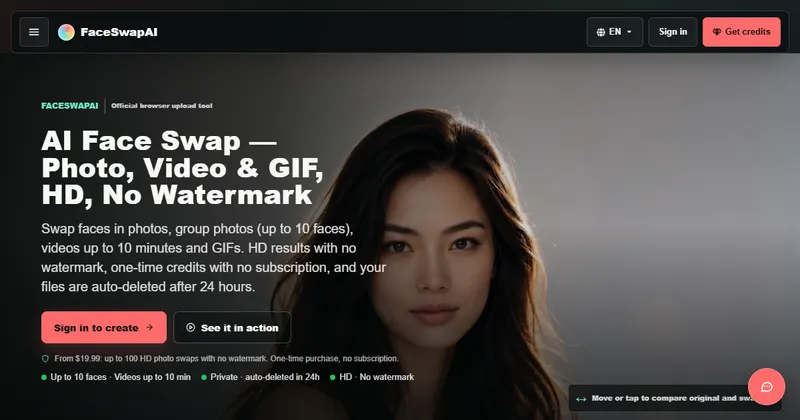
What is FaceSwapAI?
FaceSwapAI is a browser-based tool that swaps faces in photos, group photos, videos and GIFs using AI.
Because it runs online, you upload your files in the browser on desktop or mobile and download the result, with no app to install.
What can I swap faces in?
It has four main workflows: a single photo, a group photo, a video and a GIF.
- Photo face swap: one source face and one target photo
- Multiple face swap: up to 10 selected faces in one photo, each with its own source portrait if you like
- Video face swap: clips up to 600 seconds
- GIF face swap: loops up to 30 seconds
How do credits work?
You buy a one-time credit pack and spend credits per result. There is no subscription.
- Photo: 6 credits per result
- Multiple faces: 6 credits per selected face
- Video and GIF: 3 credits per measured second of input, rounded up, with a 9-credit minimum
- If a paid task fails on the service’s side, its credits are refunded automatically, once
Do I need an account?
Yes. You choose your photos first, but generating needs a signed-in account with enough credits.
The site says you can sign in with Google or email, and that email verification is not required.
What about consent and privacy?
You must confirm you have permission to use every face in the files you upload, and task files are deleted automatically after about 24 hours.
The site publishes guidance on safety and consent. Only swap faces of people who have agreed, and follow the rules of any platform where you post the result.
Alternatives to FaceSwapAI
Face-swap tools differ in what media they cover, how they charge and where they run. FaceSwapAI is a browser tool with credit packs and separate photo, group, video and GIF workflows.
- FotorAn online photo editor with an AI face-swap feature.fotor.com ↗
- CanvaA design platform with a wide set of editing and AI tools.canva.com ↗
- RefaceA mobile app for swapping your face into short clips and GIFs.reface.ai ↗
How FaceSwapAI compares
| Option | Best for | Trade-off |
|---|---|---|
| FaceSwapAI | Swapping faces across photos, group shots, videos and GIFs in a browser, paying per result with credits | You need a signed-in account and credits to generate, and results vary with the quality of your input |
| Fotor | People who want face swap alongside general photo editing | Focused on images rather than long videos |
| Canva | Making finished designs where a face edit is one step | Not a dedicated face-swap tool |
| Reface | Quick, playful swaps on a phone | An app to install rather than a browser tool |
FaceSwapAI is a fit if you want a dedicated browser tool for photo, group, video and GIF swaps and prefer paying per result. For general photo editing or phone-only fun, another tool may suit better. Always get consent before using someone’s face.
Questions people ask about FaceSwapAI
What is FaceSwapAI?
An online AI face-swap tool that works in the browser for photos, group photos, videos and GIFs.
Do I need to install anything?
No. It runs in desktop and mobile browsers.
How much does it cost?
It uses one-time credit packs from $19.99 with no subscription. A photo swap costs 6 credits.
Do I need an account?
Yes. Generating needs a signed-in account with enough credits.
How long are my files kept?
The site says task files are scheduled for deletion after 24 hours and may be removed earlier.
How long can a video be?
Video clips can be up to 600 seconds and GIFs up to 30 seconds.
What are the alternatives to FaceSwapAI?
Fotor, Canva and Reface are alternatives. They differ in media types, pricing model and whether they run in a browser or an app.