 Amplibee
What is Image Describer?
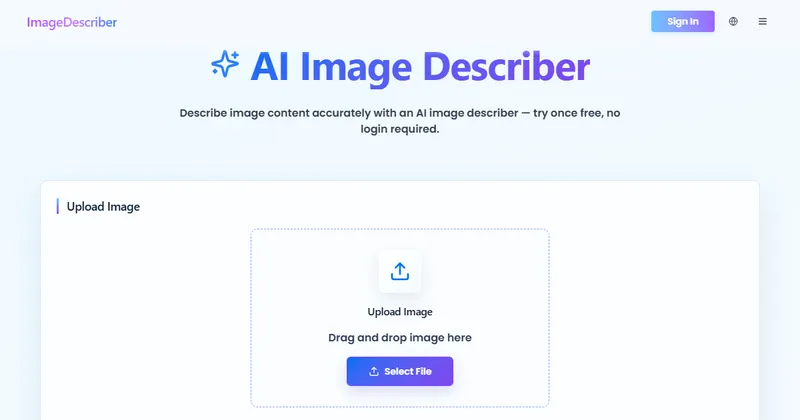
Image Describer is a web tool that uses AI to describe an image you upload or link to.
You upload an image or paste its URL, choose what you want, and get text back. You can pick the output language.
The site also has practice pages for the PTE Describe Image task and a Chrome extension.
What can it produce?
Several kinds of text from the same image.
Choosing several outputs at once and batch processing of many images are for paid users.
- Short and detailed descriptions
- Accessibility alt text
- SEO text
- Prompts for image generators such as Midjourney, Stable Diffusion and Flux
- Extracted text from the image (OCR)
- Social media captions and hashtags
How accurate is it?
The site says AI can miss details or make mistakes, so you should check each result against the image.
It also says AI-generated alt text alone does not establish WCAG compliance. Treat the output as a draft, especially for accessibility work.
What data does it keep?
The home page says recent results are stored only in your browser, for 7 days and up to 20 results.
It does not describe server-side retention on the home page, so read the privacy policy before you upload private images.
How much does it cost?
You get one free try without logging in. After that, access depends on your remaining trial or credits.
The home page does not list prices. See the pricing page for current plans, and the payments and refund policy for terms.
Alternatives to Image Describer
You can describe images with a general chat assistant, a cloud vision API, or a single-purpose web tool. Image Describer is the single-purpose tool.
- Azure AI VisionA cloud service for image captions, tags and text reading, used through an API.azure.microsoft.com/products/ai-services/ai-vision ↗
- Google Cloud VisionA cloud API for labels, text detection and image analysis.cloud.google.com/vision ↗
- ChatGPTA general assistant that can describe images you upload.chatgpt.com ↗
How Image Describer compares
| Option | Best for | Trade-off |
|---|---|---|
| Image Describer | Quickly drafting descriptions, alt text, prompts or extracted text from a single image, with no setup | Outputs are drafts to review, and the home page does not list prices or server-side retention |
| Azure AI Vision | Developers who want image analysis inside their own product | Needs an Azure account and some code |
| Google Cloud Vision | Developers who need label detection and OCR at scale | An API rather than a ready tool, so you build the interface |
| ChatGPT | Flexible, conversational requests about an image | You write the instructions each time, and image limits depend on your plan |
Image Describer may suit you if you want a quick draft of a description, alt text or prompt without writing instructions. Review every result against the image, and read the privacy policy before uploading anything sensitive.
Questions people ask about Image Describer
What is Image Describer?
A web tool that turns an uploaded image into a description, alt text, SEO text, a prompt or extracted text.
Is Image Describer free?
You can try it once for free with no login. Further use depends on your trial or credits.
Which image formats work?
JPG, PNG, WebP and HEIC.
Can it write alt text?
Yes, but the site says AI alt text alone does not establish accessibility compliance, so review it.
Can it extract text from an image?
Yes. It has an Extract Text (OCR) option.
Can it write prompts for image generators?
Yes. It offers Image to Prompt for Midjourney, Stable Diffusion and Flux.
Can I process many images at once?
Batch processing is available for paid users.
Does it store my images?
Recent results are kept in your browser for 7 days. Read its privacy policy for server-side handling.
What are the alternatives to Image Describer?
Microsoft Azure AI Vision, Google Cloud Vision and ChatGPT can all describe images.