 Amplibee
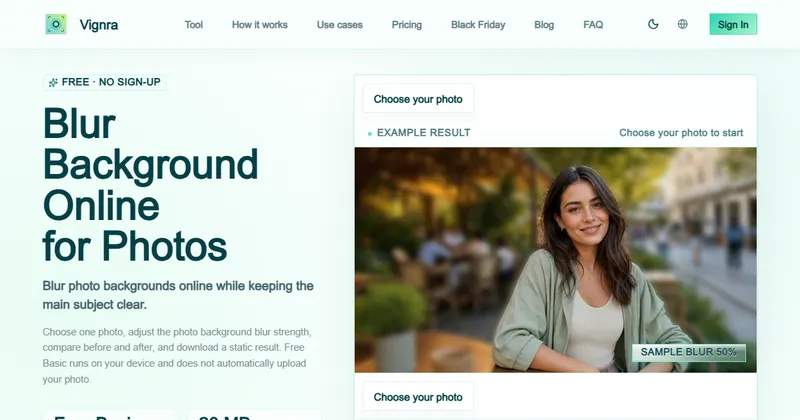
What is Vignra?
Vignra is a browser tool that blurs photo backgrounds and keeps the subject in focus.
You choose one photo, adjust the blur strength, compare before and after, and download a static result.
It is not a background remover. It softens the background instead of cutting it out.
What is the difference between Basic and AI Refined?
Basic is free and local. AI Refined is optional, uses the cloud and costs credits.
- Basic runs on your device with no account. The site says your photo is not uploaded automatically and its file details are not sent to analytics.
- AI Refined is labelled Advanced Bokeh. It needs sign-in, costs 10 credits and uploads the photo only after you confirm.
- If local processing cannot finish, Basic stops and does not fall back to an automatic upload.
What are the limits?
Photos can be up to 20 MB and 24 megapixels.
Many formats work, including JPG, PNG, WebP, AVIF, GIF, HEIC and TIFF. Some are converted on your device first, and animated or multi-page files use the first frame. Local processing can take 10 seconds or longer.
Is it safe for hiding faces or text?
No. The site says the tool is not meant for reliably hiding faces, license plates or sensitive text.
Blur strength varies by photo, so use a different tool if you must conceal something.
How much does it cost?
Basic is free with no subscription. AI Refined costs 10 credits per photo.
The site shows the cost and terms before you confirm a cloud job. See its pricing page for current credit prices, and its refund policy for terms.
Alternatives to Vignra (Blur Background)
You can blur a photo background in a full design app, a photo editor, or a single-purpose tool. Vignra is the single-purpose tool, with a free mode that stays on your device.
- CanvaAn online design tool with photo editing, including background effects.canva.com ↗
- Adobe PhotoshopA professional photo editor with detailed masking and blur tools.adobe.com/products/photoshop.html ↗
- PixlrAn online photo editor with blur and cutout tools.pixlr.com ↗
How Vignra (Blur Background) compares
| Option | Best for | Trade-off |
|---|---|---|
| Vignra (Blur Background) | Quickly softening a photo background without an account, and keeping the photo on your device | Blur only, with no background removal, and local processing can be slow |
| Canva | Blurring a background as one step in a larger design | Some editing features need a paid plan, and you work in your Canva account |
| Adobe Photoshop | Precise control over what is blurred and how | A subscription and a learning curve |
| Pixlr | Quick edits in a browser editor | Check which tools are free and which need an account |
Vignra may suit you if you want a fast, free background blur that stays on your device. If you need to cut out a subject or control the blur region precisely, a full editor is a better fit.
Questions people ask about Vignra (Blur Background)
What is Vignra?
A browser tool that blurs the background of a photo while keeping the subject clear.
Is Vignra free?
Basic is free, runs on your device and needs no account. AI Refined costs 10 credits.
Does it upload my photo?
Not in Basic mode. AI Refined uploads the photo only after you confirm.
Can it remove or replace a background?
No. It blurs the background and does not remove or replace it.
What is the maximum file size?
20 MB and 24 megapixels.
Which formats does it support?
JPG, PNG, WebP, AVIF, GIF, HEIC and TIFF, among others.
Can I use it to hide faces or license plates?
No. The site says it is not meant for reliably hiding faces, license plates or sensitive text.
What are the alternatives to Vignra?
Canva, Adobe Photoshop and Pixlr all have background blur tools.