 Amplibee
What is Video Upscaler?
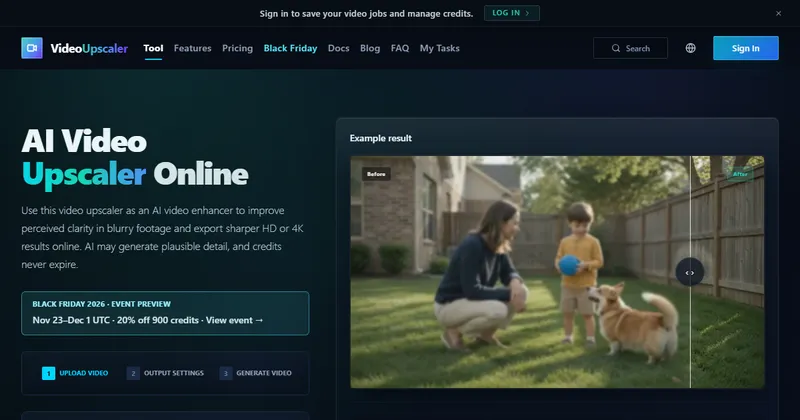
Video Upscaler is an online AI video enhancer that upscales short clips to HD, 2K or 4K.
It aims to improve perceived clarity, reduce noise and blur, and rebuild detail. The site says the AI may generate plausible detail that was not in the source.
Because of that, do not treat upscaled footage as recovered factual evidence.
What can it do?
It enhances blurry or compressed clips and exports them larger.
- Deblur and restore, clarity boost and noise reduction
- Standard and Pro processing modes
- 2x or 4x scaling, or HD, 2K and 4K output
- Saved jobs and task history under My Tasks, after you sign in
- A separate page for anime video enhancement
What are the limits?
Clips can be up to 60 seconds and 200 MB.
Accepted formats are mp4, mov, webm, m4v and gif. It is built for short clips, so it is not a tool for full-length films.
How do credits work?
Each job uses credits, and the amount depends on the mode and output settings you pick.
The site says credits never expire. The home page also mentions a Black Friday 2026 offer of 20% off 900 credits from November 23 to December 1 UTC. See the pricing page for current prices, and the payments and refund policy for terms.
Alternatives to Video Upscaler
You can upscale video with desktop software or with an online service. Video Upscaler is an online service that runs in the browser and charges by credit.
- Topaz Video AIDesktop software for upscaling and enhancing video.topazlabs.com/topaz-video-ai ↗
- RunwayAn online creative suite with video tools and generation.runwayml.com ↗
- HitPawVideo and photo enhancement software with desktop and online options.hitpaw.com ↗
How Video Upscaler compares
| Option | Best for | Trade-off |
|---|---|---|
| Video Upscaler | Short clips you want sharper and larger without installing software | Limited to 60 seconds and 200 MB, and generated detail can differ from the source |
| Topaz Video AI | Long videos and local processing on your own computer | Needs a capable computer, and licensing terms apply |
| Runway | Creators who want editing and generation tools in one place | Broader than upscaling, with subscription and credit limits |
| HitPaw | People who want a desktop app for enhancing footage | Check its current plans and which features need payment |
Video Upscaler may suit you if you have a short clip to sharpen and want to do it in the browser. For long videos, or when you must keep the footage on your own machine, desktop software may fit better.
Questions people ask about Video Upscaler
What is Video Upscaler?
A browser-based AI tool that enhances and upscales short video clips to HD, 2K or 4K.
How long can a clip be?
Up to 60 seconds and 200 MB.
Which formats does it accept?
mp4, mov, webm, m4v and gif.
What resolutions can I export?
2x and 4x scaling, or HD, 2K and 4K target resolution.
What is the difference between Standard and Pro?
Standard costs fewer credits. Pro offers more restoration controls.
Do credits expire?
The site says they never expire.
Do I need an account?
You sign in to save video jobs and manage credits.
Will upscaling recover real detail?
Not necessarily. The site says the AI may generate plausible detail that differs from the source, so do not treat it as factual evidence.
What are the alternatives to Video Upscaler?
Topaz Video AI, Runway and HitPaw all enhance or upscale video.