 Amplibee

What is kling-4.art?
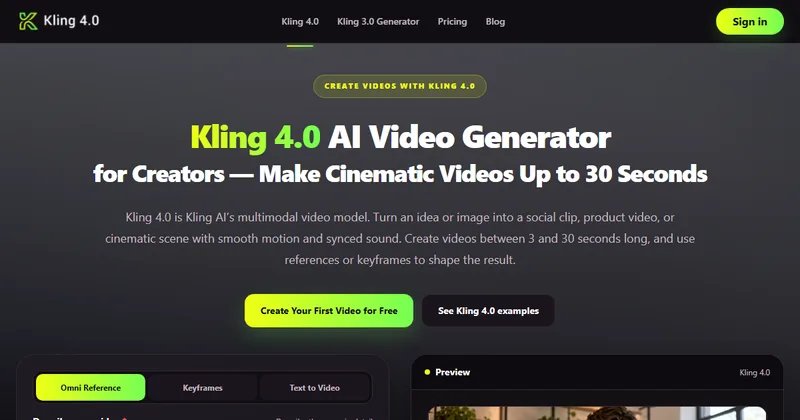
kling-4.art is an online AI video generator for Kling 4.0. You describe a video, or add images, keyframes and references, and it generates a clip of 3 to 30 seconds with synced sound.
The site says it is independent and not affiliated with Kling AI, so available modes and settings may differ from those offered by Kling AI directly.
What generation modes are there?
There are three: Text to Video from a written prompt, Keyframes from a first frame with optional middle and last frames, and Omni Reference from images, videos and audio.
- Keyframes take a first frame, up to 8 middle keyframes and an optional last frame
- Omni Reference takes up to 15 combined references: 10 images, 5 videos and 3 audio files
- Audio references require 720p
What length and quality can I get?
Videos run from 3 to 30 seconds at 720p or 1080p, in 16:9, 9:16, 1:1 or 21:9. The site lists 4K as a model capability but says it is not available in this studio.
Kling 4.0 Flash is the faster option, with up to 20 seconds at 720p and no first-and-last-frame or multi-keyframe generation.
How much does it cost?
The generator charges 5 credits per second. A 5,000-credit pack costs $99.90, and the site estimates about $0.50 for a 5-second 720p video and about $0.80 at 1080p.
Credits are reserved when generation starts and returned if the task fails. Refunds are available within 7 days of purchase, subject to the refund policy.
Can I use the videos commercially?
The FAQ says commercial use is permitted under the Terms of Service, but you must have permission for any copyrighted, trademarked or recognizable material you use.
Uploaded files are used to provide the service and may be used to operate and improve it, according to the site's privacy policy.
Alternatives to Kling 4.0 Video Generator
Kling 4.0 is available from its maker and through independent sites. kling-4.art offers a browser studio with text, keyframe and reference modes and pay-as-you-go credits.
- Kling AIThe official Kling site, where Kling 4.0 is offered directly by its maker.kling.ai ↗
- LumaLuma's video models, which its own blog says offer 16 keyframes in Ray 3.2.lumalabs.ai ↗
- RunwayAn AI video platform with keyframes, camera control and multimodal inputs.runwayml.com ↗
- ViduAn AI video generator with image-to-video, text-to-video and reference-to-video.vidu.com ↗
How Kling 4.0 Video Generator compares
| Option | Best for | Trade-off |
|---|---|---|
| Kling 4.0 Video Generator | Making 3 to 30 second videos from text, keyframes or references with a credit pack | Independent of Kling AI, so modes and settings may differ, and 4K is not available here |
| Kling AI | Using Kling 4.0 with the maker's own modes and settings | Pricing and limits follow Kling AI's own plans |
| Luma | Fine control over shot timing with many keyframes | Higher entry price, per a Higgsfield comparison |
| Runway | Editing and film-style work with fine controls | Free credits are limited, per one roundup |
| Vidu | Subject consistency and stylized anime or cartoon video | A different model, so results differ from Kling 4.0 |
kling-4.art is a fair way to try Kling 4.0 style video with keyframes and references. Check the credit cost for the length and resolution you need before you buy a pack.
Questions people ask about Kling 4.0 Video Generator
What is kling-4.art?
An independent online video generator built around the Kling 4.0 model.
Is it the official Kling site?
No. The site says it is not affiliated with Kling AI.
How long can a video be?
From 3 to 30 seconds, according to the site. Kling 4.0 Flash goes up to 20 seconds at 720p.
Which resolutions are available?
720p and 1080p. The site says 4K is not available in this studio.
What can I use as input?
A text prompt, keyframes, or up to 15 references made of images, videos and audio files.
How much does a video cost?
5 credits per second. The site estimates about $0.50 for 5 seconds at 720p and $0.80 at 1080p, based on a 5,000-credit pack at $99.90.
What happens to credits if a task fails?
They are returned. Credits are reserved when generation starts, according to the site.
Can I use the results commercially?
The FAQ says yes under the Terms of Service, if you have permission for any copyrighted or recognizable material.