 Amplibee

What is Live Face Swap?
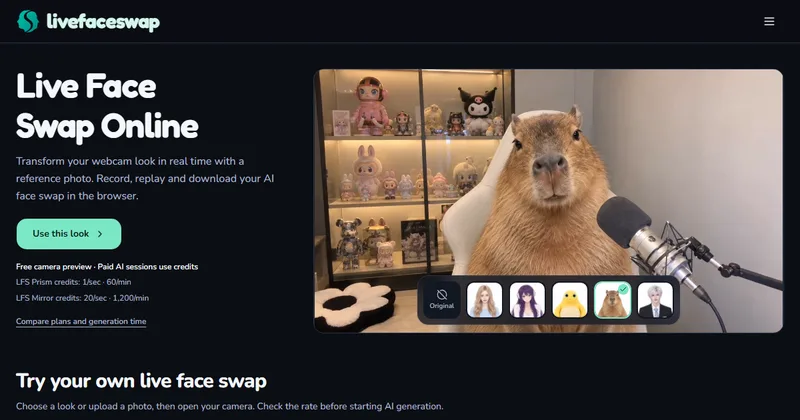
Live Face Swap is a browser tool that transforms your webcam feed in real time. You choose a reference look or upload a photo, open your camera and start a session.
The home page also lists Restyle, an AI webcam filter, and Try-On, a virtual garment try-on.
How does it work?
You choose a look, open your camera and check framing. A free local preview is available. To generate, you sign in and start a session, which uses credits. You then end the session and replay or save the clip.
Recording starts automatically when the live result appears, according to the site.
What does it cost?
The preview, recording, replay and downloads have no AI charge. Paid sessions use credits: LFS Prism is 1 credit per second and LFS Mirror is 20 credits per second.
A free Prism trial is available to verified accounts with a preset while daily spots last. The site says unlimited free generation is not offered.
What happens to my camera data?
Camera preview stays on your device. Starting generation sends the reference and camera frames to the selected model provider, according to the site.
The site says recordings are kept in your browser and it does not store camera recordings. Microphone audio is recorded locally and is not sent to the model.
What are the rules on consent?
Use your own likeness or get permission from the person depicted. The site says public photos do not count as permission.
It also asks you to disclose realistic alterations, and prohibits deceptive impersonation, identity-check bypass and non-consensual intimate content.
Alternatives to Live Face Swap
Face swap tools usually process an uploaded photo or video after the fact. Live Face Swap works on a live webcam feed and lets you record the result in the same page.
- Deep-Live-CamAn open-source tool that swaps faces in live video from a single source image.github.com/hacksider/Deep-Live-Cam ↗
- FaceFusionAn open-source face manipulation tool with local and real-time workflows.facefusion.io ↗
- DeepFaceLiveA free open-source real-time face swap program for Windows.github.com/iperov/DeepFaceLive ↗
How Live Face Swap compares
| Option | Best for | Trade-off |
|---|---|---|
| Live Face Swap | Trying a live webcam look with a reference photo, then recording and downloading the clip | AI sessions need a sign-in and credits, and results depend on lighting, head movement and connection |
| Deep-Live-Cam | Free local real-time swaps on your own computer | Needs a capable GPU and local setup |
| FaceFusion | Local face swap with ongoing updates | Install and hardware setup required |
| DeepFaceLive | Free real-time swaps with trained models | No longer actively maintained and needs a strong GPU, per one listing |
Live Face Swap is easy to test because the camera preview is free. Check the credit rate before you start a paid session, and only use faces you have permission to use.
Questions people ask about Live Face Swap
What is Live Face Swap?
A browser tool that transforms your webcam look in real time using a reference photo or a preset.
Is it free?
The camera preview, recording, replay and downloads have no AI charge. AI generation needs a sign-in and credits.
How much do credits cost per second?
LFS Prism uses 1 credit per second and LFS Mirror uses 20 credits per second, according to the site.
Is there a free trial?
A free Prism trial is available to verified accounts with a preset while daily spots last, capped at 10 seconds of results.
Can I record the result?
Yes. Recording starts automatically when the live result appears, and you can replay and download the clip.
Does it work with OBS?
On desktop, the site says you can use a browser source or window capture.
Is processing fully local?
No. The preview stays on your device, but starting generation sends the reference and camera frames to the selected model provider.
Can I use anyone's photo?
No. Use your own likeness or get the depicted person's permission, according to the site.