 Amplibee

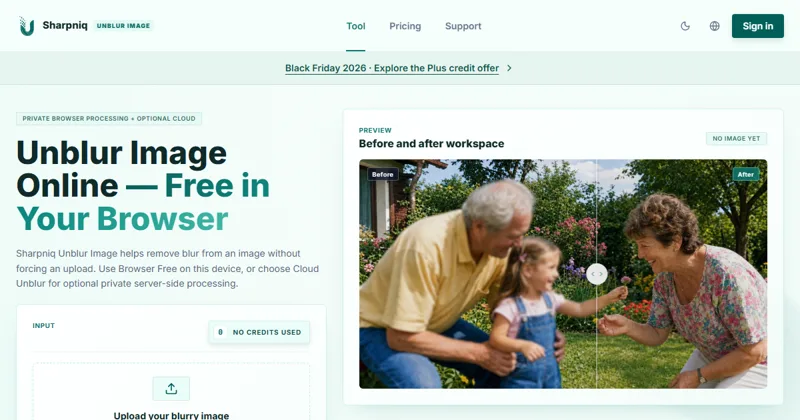
What is Sharpniq?
Sharpniq is a web tool that reduces blur in a still image, either on your own device for free or in the cloud with credits.
The tool is named Sharpniq Unblur Image on the site.
How does Browser Free work?
It processes one image in your browser tab with no sign-in and no upload, then lets you download a PNG. It uses 0 credits.
- Up to 10 MB and 4 megapixels per image
- The first use downloads about 33 MB of local processing files
- Quality options are Auto, Fast Free and High Quality Local
What does Cloud Unblur add?
Cloud Unblur needs sign-in and uses 10 credits per usable result. It supports images up to 12 megapixels and uploads the image only after you choose this mode.
Credits are held when processing starts and restored if processing fails or times out. The site says project-stored originals and results are scheduled for deletion after 24 hours.
How much does it cost?
Browser Free costs nothing. Cloud Unblur uses credits: a $4.99 pack gives 100 credits and a $9.99 pack gives 220 credits, according to the pricing page.
New accounts get 10 free credits. Purchased credits do not expire under the current pack rules. The packs are one-time purchases, not a subscription.
What can it not do?
The site says it cannot recreate details that were never captured, and results depend on the blur type, severity, compression and source quality.
Outputs may show halos, oversharpening or artificial textures. The submission advises comparing the result with the original before saving.
Alternatives to Sharpniq
Tools that sharpen photos either run on your device or send the image to a server. Sharpniq offers both, with the local mode free.
- UpscaylA free, open-source desktop app for upscaling images.upscayl.org ↗
- Let's EnhanceAn online image upscaler and enhancer.letsenhance.io ↗
- Topaz Photo AIDesktop software for sharpening, denoising and upscaling photos.topazlabs.com/topaz-photo-ai ↗
- ReminiA photo enhancement and restoration app.remini.ai ↗
How Sharpniq compares
| Option | Best for | Trade-off |
|---|---|---|
| Sharpniq | Trying a local, no-account deblur first and paying for cloud processing only when needed | Single images only, a 4 megapixel limit in Browser Free, and results depend on the source |
| Upscayl | Free local upscaling on your own computer. | You install an app and need a capable machine; it has no web editor. |
| Let's Enhance | Browser-based upscaling for web or print. | Images are uploaded for processing and free use is limited. |
| Topaz Photo AI | Photographers who want fine control over results. | Paid software with a learning curve, installed on your computer. |
| Remini | Restoring faces in old or low quality photos. | Aimed at mobile use, with a subscription. |
Sharpniq is a sensible first try when you want to keep a photo on your device and compare the result with the original. Move to cloud processing only if the local result is not enough.
Questions people ask about Sharpniq
What is Sharpniq?
A web tool that reduces blur in a still image, with a free browser mode and an optional cloud mode.
Is it free?
Browser Free is free, needs no account and uses 0 credits. Cloud Unblur uses credits.
Is my image uploaded?
Not in Browser Free, which keeps the image on your device. Cloud Unblur uploads it after you choose that mode.
How much is Cloud Unblur?
10 credits per usable result. Packs are $4.99 for 100 credits and $9.99 for 220 credits.
What is the file size limit?
Up to 10 MB. Browser Free supports 4 megapixels and Cloud Unblur supports 12 megapixels.
Can it fix any blurry photo?
No. The site says it cannot guarantee recovery of severe blur or detail that was never captured.
Does it handle batches or video?
No. The site lists batch uploads and video as unsupported.
What are the alternatives to Sharpniq?
Upscayl, Adobe Photoshop and Remini can also sharpen or enhance photos, with different pricing and privacy trade-offs.