 Amplibee

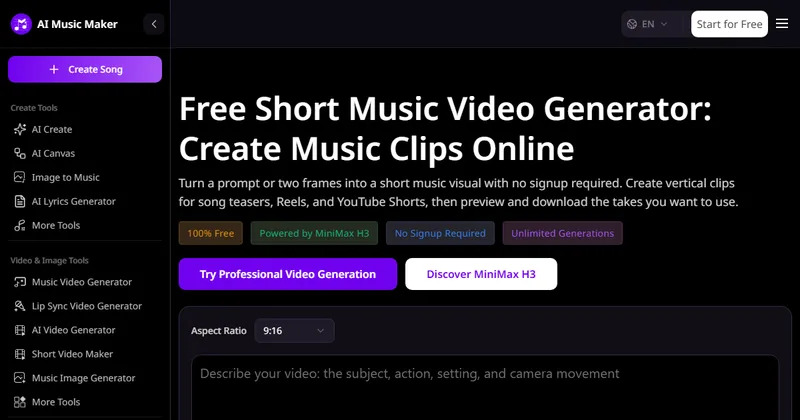
What is the Short Music Video Generator?
It is a free web tool from MusicMaker.IM that creates short music-video clips. You give it a text prompt, or a start frame and an optional end frame, and it makes a five-second clip.
The page says it is powered by MiniMax H3 and that no sign-up is required.
Who is it for?
According to the submission, it is for independent musicians, songwriters and short-form creators who need visuals for a new track, teaser or social post.
The submission says making a short music visual can take time and editing skills that independent creators may not have.
What can I make with it?
You can make five-second 480p clips in vertical 9:16, horizontal 16:9 or square 1:1, then preview and download them.
- Describe the subject, action, setting and camera movement in a prompt
- Or upload a start frame and an optional end frame to animate between them
- Use clips for song teasers, Reels, YouTube Shorts, animated cover art or lyric backgrounds, according to the page
Is it really free?
The page labels the tool 100% free and says no sign-up is required. It advertises unlimited generations and asks you to submit one request at a time.
It also links to a paid upgrade plan and a Higher Quality Generation option for the wider MusicMaker tools. The page does not give plan details.
What are the limits?
Clips are five seconds long at 480p. The page does not name the download file format.
The page links to a privacy policy, terms, a content policy and a commercial license. Read them before you use a clip in a release.
Alternatives to Short Music Video Generator
Short video tools for musicians range from full editors to prompt-based generators. This one is a single-purpose generator for five-second clips, with no editor and no sign-up.
- KaiberAn AI video tool with text and image input and audio reactivity.kaiber.ai ↗
- FreebeatAn AI music video generator aimed at complete music videos.freebeat.ai ↗
- RenderforestA video maker with an AI music video generator for beat-synced visuals and vertical clips.renderforest.com ↗
- VmakeAn AI tool that makes short music videos from text, image or video input.vmake.ai ↗
How Short Music Video Generator compares
| Option | Best for | Trade-off |
|---|---|---|
| Short Music Video Generator | Quickly making a five-second vertical, horizontal or square visual for a track without an account | Clips are five seconds at 480p, with no editing tools on the page |
| Kaiber | Audio-reactive visuals for songs | Free trial is limited, per its listings |
| Freebeat | Longer music videos built from a full track | Credit based, with a generation length ceiling per its listings |
| Renderforest | Beat-synced visuals and looping vertical scenes | Template-led rather than prompt-only |
| Vmake | Short music videos from several input types | Free use may carry limits on resolution and licensing |
The Short Music Video Generator is a quick, free way to test visual ideas for a track. For longer or higher-resolution video you will need another tool or the paid options.
Questions people ask about Short Music Video Generator
What is the Short Music Video Generator?
A free MusicMaker.IM tool that turns a prompt or start and end frames into a short music-video clip.
How long are the clips?
Five seconds each.
What resolution do I get?
480p. The page links to a separate Higher Quality option and does not describe it.
Which aspect ratios are available?
9:16, which is the default, plus 16:9 and 1:1.
Do I need an account?
No. The page says no sign-up is required.
Is it free?
The tool is listed as 100% free. A separate paid plan exists for the wider MusicMaker tools.
Which model does it use?
The page says it is powered by MiniMax H3.
What file format do I download?
The page does not name one.